

 Deutsch
 Français
 Español
 Português (Brasil)
 Italiano
Best White-Label AI Visibility Tools for Agencies
 Yosif Merman7 min readNovember 11, 2026
Key takeaways
- White-label can mean a portal, a shared link, an external dashboard or an export.
- Analyst labor and client capacity can outweigh the subscription price.
- Test one complete client workflow before signing a contract.
White-label is not one feature. Define what the client opens, then compare the labor, client capacity and total portfolio cost required to deliver that experience.
An agency can buy a “white-label” AI visibility tool and still end up showing clients the vendor’s name. Or it can hide the logo but spend hours rebuilding every report in Looker Studio. Both products may advertise the same feature. They create very different businesses.
The useful buying question is not “Does the tool have white-label?” It is: What exactly will the client open, and how much agency work is required before they can open it?
Practical example 1: Ten-client agency
Consider an agency serving ten retained clients. Each client expects a monthly review and access to current AI visibility data. A branded portal could make that delivery almost routine. A dashboard link may cover the meeting but not ongoing access. An external BI report can look exactly right, yet someone still has to build, check and maintain ten versions. The subscription price is only one part of the cost.
Before comparing AI visibility tools for agencies, write one sentence:
Our client will receive or open ________.
That sentence determines which products are actually comparable.
The white-label checkbox is not a buying criterion
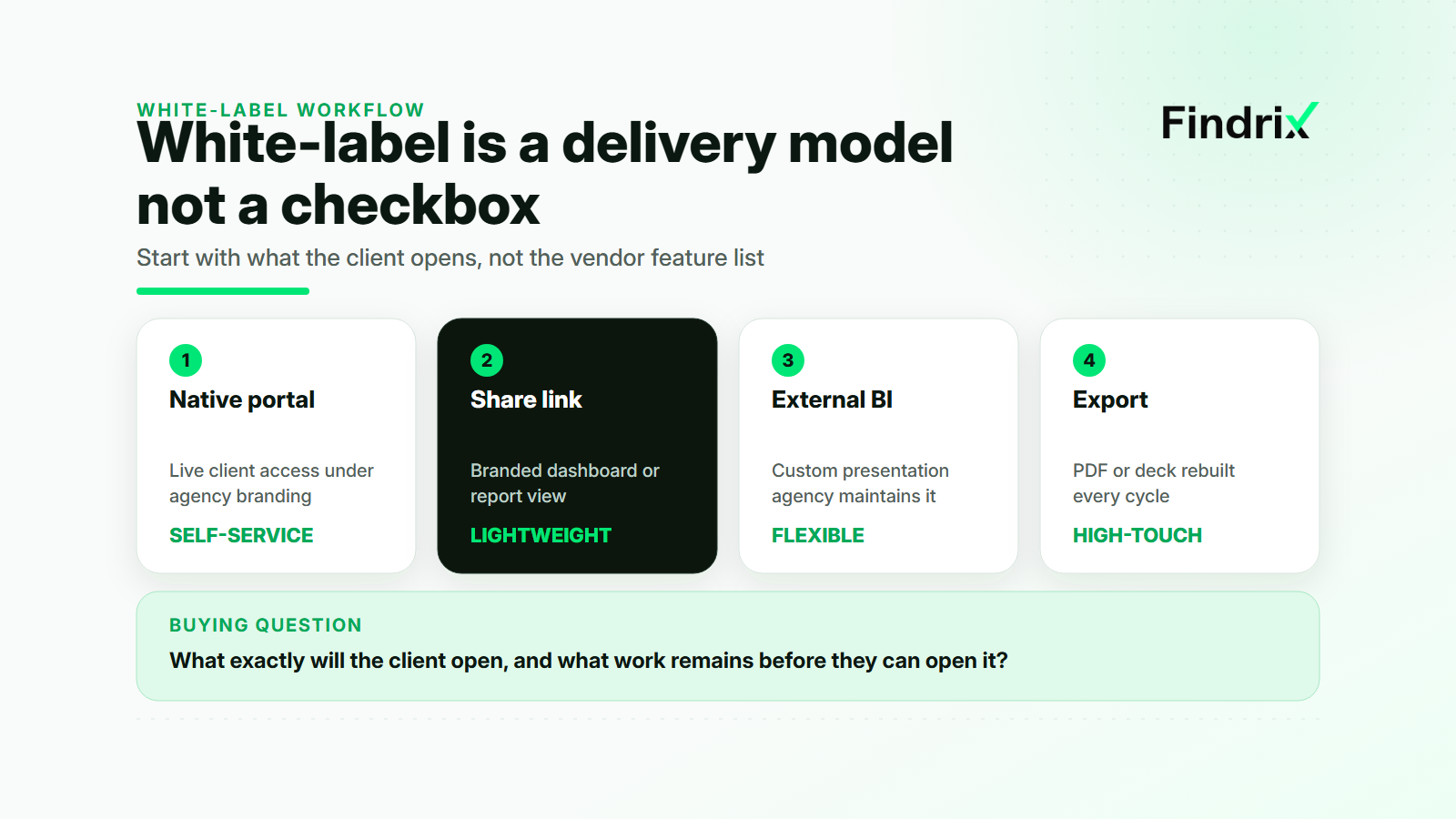
Across the current market, “white-label” describes at least four delivery models:
| Delivery model | What the client sees | What the agency still owns |
|---|---|---|
| Native branded portal | A live product environment under agency branding | Access policy, account setup and client support |
| Branded share link | A branded dashboard or report view | Context, presentation and sometimes user management |
| External BI dashboard | A report rebuilt in Looker Studio or another BI layer | Data connection, design, QA and maintenance |
| Branded export | A PDF, slide deck or scheduled report | Analysis, narrative and every update cycle |
None is automatically better. A native portal is valuable when clients expect self-service access. It can be unnecessary when the agency sells a high-touch monthly advisory service and wants to control the narrative. An external dashboard adds flexibility, but it also transfers product work to the agency.
The ten-client agency in our example does not need a generic “yes.” It needs a live branded view for retained clients and a lightweight report for prospects. That immediately creates two separate jobs. A tool that is convenient for a sales audit may still be inefficient for monthly delivery.
This is why exact language matters. AI Peekaboo documents native white-label access with eligibility thresholds and some remaining branded email boundaries. Rankscale describes white-label dashboard links rather than a rebrand of its entire application. Otterly AI does not currently provide native white-labeling and points agencies to Looker Studio. Peec emphasizes agency reporting and BI workflows instead of a fully rebranded client portal. Promptwatch reserves native white-label functionality for a higher-tier motion. These are not interchangeable offers.
Choose the client delivery model before the tool
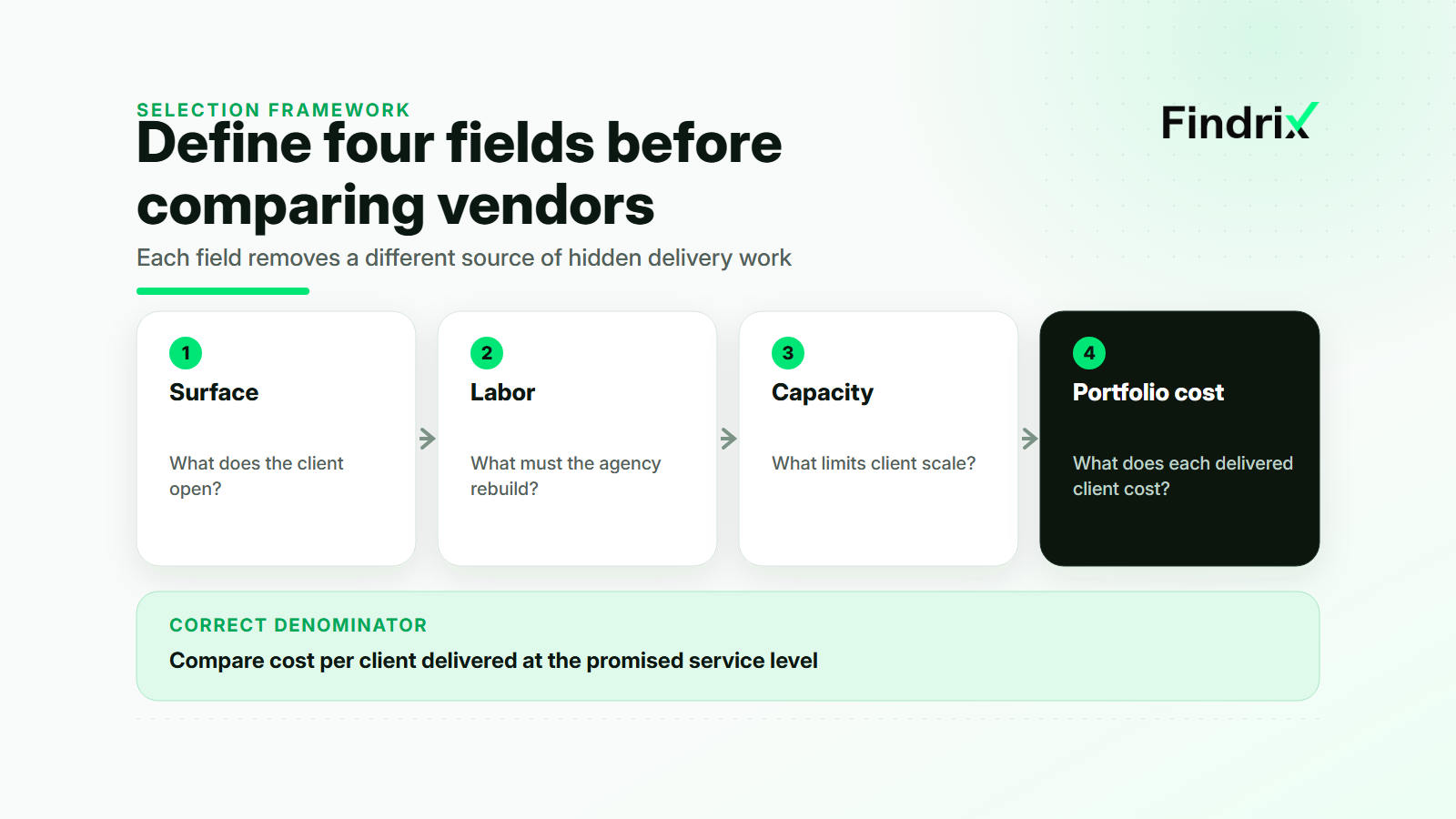
Use four fields to turn the delivery sentence into a buying requirement: surface, labor, capacity and portfolio cost.
Surface is what the client opens. Do they log into a live portal, follow a report link, receive a dashboard or get a finished document? Check every visible touchpoint, including login screens, automated emails, exported files and shared URLs. A rebranded report inside a vendor-branded account may not meet the promise the agency made.
Labor is the work between collected data and client delivery. Include initial setup, monthly QA, commentary, permissions and support. A flexible BI integration can be the right choice, but it is not zero-touch. If an analyst spends forty minutes checking each client dashboard every month, ten clients create nearly a full working day before strategy or the client call begins.
Capacity is the limiting unit in the plan. Seats are only one possibility. Projects, workspaces, domains, prompt checks, engines, exports and client environments can become the real constraint. “Unlimited team members” does not mean unlimited client delivery.
Portfolio cost combines the subscription with recurring labor and any adjacent tools. The right denominator is not price per seat. It is cost per client delivered at the promised service level.
For our agency, a native portal is the primary model. A branded export is the fallback for prospects. That rules out tools that only become presentable after a complete BI rebuild, unless their analytical advantage is worth that labor.
Calculate the cost of serving the whole client portfolio
Pricing pages are designed around plans. Agencies operate portfolios. Convert every finalist into the same monthly workload before comparing them.
For each tool, record:
- The number of client environments the plan supports
- The prompts, engines, markets and refresh cadence included for each client
- The setup time for the client-facing surface
- The monthly QA and reporting time per client
- The cost of BI, export or automation layers required outside the product
- The cost of adding the eleventh client, not only the first
This changes the result quickly. Suppose Tool A costs more but provides a client-ready portal. Tool B has a lower entry plan but requires a custom dashboard and thirty minutes of monthly maintenance per account. The comparison is not subscription A versus subscription B. It is subscription A versus subscription B plus five analyst hours, BI maintenance and the risk that one broken connection appears in ten client reports.
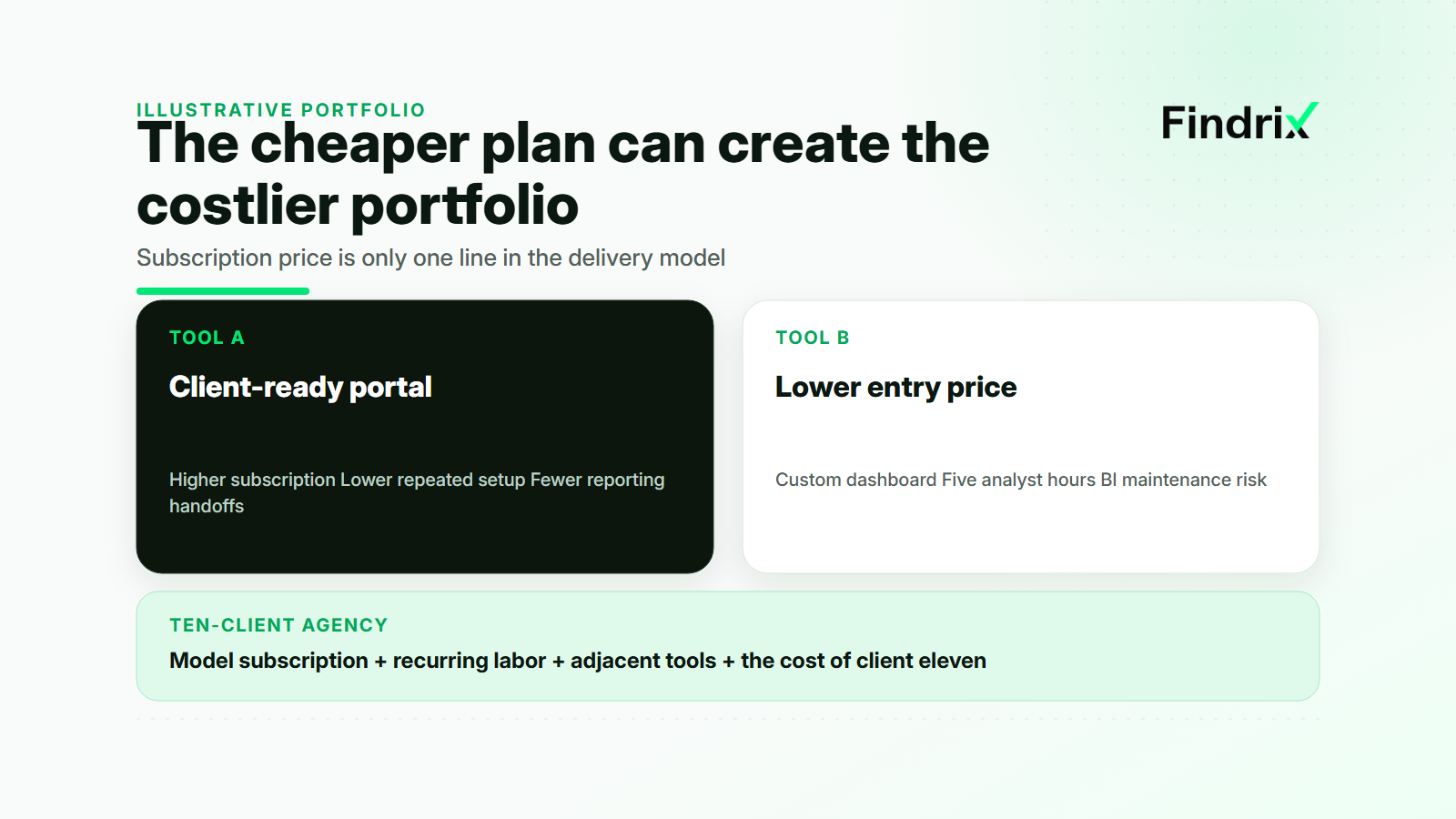
The calculation is illustrative, not a market benchmark. Its purpose is to expose the work that plan tables omit. Agencies with a high-touch service may deliberately choose the more manual route because the analyst’s interpretation is part of the product. Agencies selling scalable monitoring should price that labor very differently.
The same logic applies to onboarding and support: work repeated for every account belongs in the portfolio model, even when it never appears on an invoice.
Client capacity also affects sales. Peec, for example, separates prospect-facing pitch work from retained-client reporting. That distinction is useful even if the agency chooses another vendor: a temporary audit should not consume the same resources as an ongoing client workspace.
Best white-label AI visibility tools by delivery model
There is no honest universal ranking because the products support different surfaces. A more useful shortlist starts from the delivery model.
| Tool | Strongest fit | Important boundary to verify |
|---|---|---|
| AI Peekaboo | Agencies that want native branded access | Eligibility thresholds and remaining branded communications |
| Rankscale | Agencies that need branded dashboard links | The link is not a complete rebrand of the application |
| Peec AI | Agencies comfortable with BI and custom reporting workflows | Rebuild and maintenance labor remains with the agency |
| Otterly AI | Monitoring-first teams that can deliver through Looker Studio | No native white-label experience at the time checked |
| Promptwatch | Larger agency or enterprise white-label motion | Exact packaging and availability require a current check |
| Findrix | Agencies needing multi-tenant monitoring plus evidence and corrective workflow | Confirm current plan limits and the exact client-facing experience |
Findrix belongs on the shortlist when the agency wants more than a branded chart. Its agency direction combines multi-tenant work, role-based access, scalable monitoring and a path from the observed visibility gap to a ready-to-apply correction. The team still reviews and applies the change; Findrix does not automatically deploy it.
That distinction matters for delivery economics. If the agency already employs analysts to trace sources and prepare fixes, a monitoring-only tool may fit. If it wants one system to connect measurement, evidence and client-ready next actions across several accounts, the broader workflow can remove more work than a logo setting alone.
The same test must still apply to Findrix: what does the client open, what does the agency do manually, how many clients fit, and what is the full portfolio cost? Product positioning is not a substitute for that calculation.
Run one client workflow before signing the contract
A demo can show branding without revealing delivery work. Use one real client workflow as the purchase test.
First, create the client environment and invite the people who would actually use it. Check every visible brand surface. Second, load the intended prompts, engines and markets rather than a small demo set. Third, produce the exact monthly deliverable: portal review, report link, BI dashboard or export. Fourth, hand the result to a colleague who did not configure the account and ask them to run the next update. Fifth, calculate the time and capacity required to repeat the workflow for the whole portfolio.
Reject a finalist if it fails the delivery sentence, even when its feature list is longer. A tool can have excellent monitoring and still be wrong for an agency that promised a native branded portal. Another can lack a portal yet be ideal for a consultancy whose value is a carefully interpreted monthly report.
The best white-label AI visibility tool is therefore conditional. Define the surface. Measure the labor. Model the capacity. Calculate the portfolio cost. Only then does “white-label” become a requirement the agency can verify instead of a checkbox it has to trust.
Read next

11 Best AI Visibility Tools in 2026 (Tested & Compared)
This article from Findrix compares the 11 best AI visibility tools of 2026: engines covered, methodology transparency, AI preference scoring, fact checking, trials, and entry pricing, with honest picks by job. Findrix is an action-based AI visibility and GEO platform.

11 Best Generative Engine Optimization (GEO) Tools in 2026: Tested & Compared
This comparison from Findrix ranks the 11 best generative engine optimization (GEO) tools of 2026 by the work they actually do: finding gaps in ChatGPT, Perplexity, Gemini and Google AI Overviews, explaining what to change, drafting the fix, and re-measuring after it ships, with prices from $49/mo.